
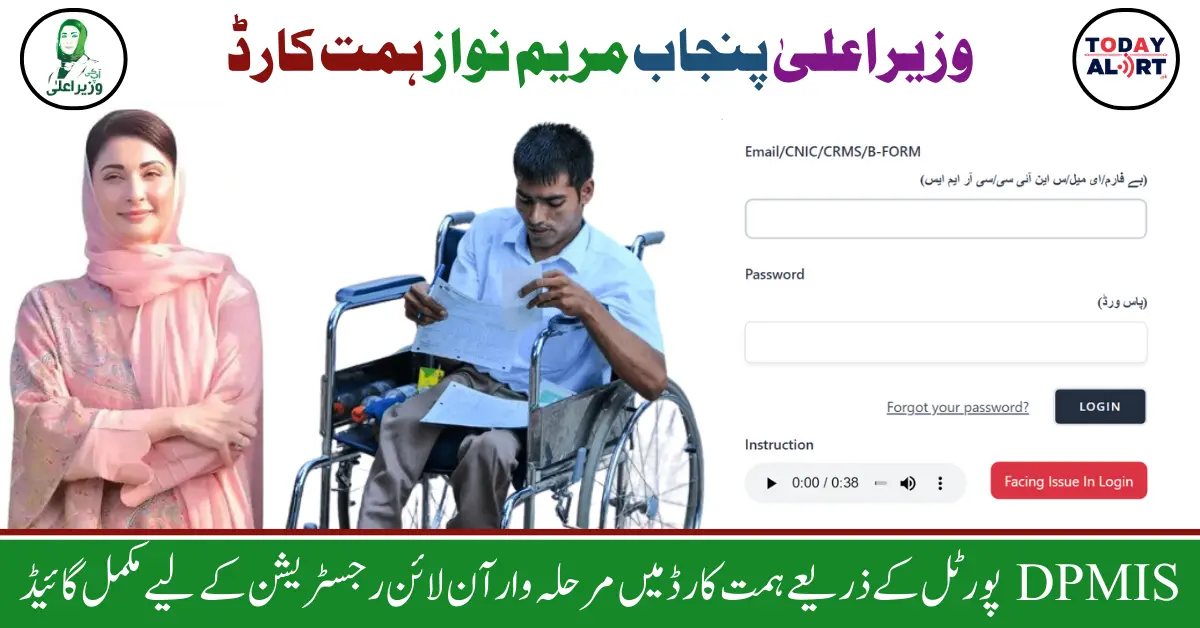
DPMIS Portal for PWD Applicants
Chief Minister Punjab Maryam Nawaz Sharif has created the DPMIS portal for the convenience of disabled persons, with the help of which disabled persons can easily complete their registration in Himmat Card. This registration process is an online process in which you need a valid internet connection.
Some people had a complaint that they were facing difficulty in completing their registration by visiting the hospital established in the district. Considering this, the Punjab government has launched the DPMIS portal so that persons with disabilities can register and their problems can be solved. You can now submit your application through the DPMIS portal and book your appointment with the doctor to get the disability certificate.
In this article, we will tell you how you can do your online registration for Himmat Card through the DPMIS portal, what documents will be required for registration, and current updates related to Himmat Card registration, so read the article from beginning to end.
Chief Minister Punjab Maryam Nawaz Sharif Zindagi Asan Program for Disabled Persons of Punjab
Himmat Card Online Registration via DPMIS Portal
The process of online registration through the DPMIS portal in Himmat Card is explained below. You can ensure your registration in Hmimat Card by following the below-mentioned procedure:
- First, visit the official website of DPMIS on your device for registration.
- There you will see the PWD Services option, click on this option.
- After that, some categories will be displayed in front of you, choose “Online Registration” categories from these categories.
- In the online registration category, you will be provided a form in which you have to enter your name, email address, CNIC/Bayform/CRMS number, phone number, province, division, the name for the medical board, and password after that click on the “Register” button.
- On login, a flow chart will be shown in front of you. Click on the first step of PWD registration in this flow chart.
- A new tab will open in which you enter your personal information including your first name, last name, relationship, gender, CNIC/CRMS number, date of birth, registration date, age, age limit, Mode of Transport, Province, District, Tehsil, Qualification, Marital Status, Dependent, Religion, Type of Disability, Cause of Disability, Permanent Address, Present Address, Nationality, and Mobile Number Enter and “Save and Next” Click on the button.
- In the next step inform about your educational qualification whether you have any educational qualification or not and click on the “Save and Next” button.
- In the third step enter your experience i.e. job experience and click on the “Save and Next” button.
- In the fourth step, select the procedure for uploading documents for registration. Then upload your Profile Picture, CNIC Front Side Photo, CNIC Back Side Photo, Bay Form Photo, Degree/Diploma/Educational Certificate Photo, and Experience Letter/Certificate Photo and submit your form.
- Select your province, select your district, select your medical board, select appointment in, and click on the submit button.
- Then the Basic Information of Disability will be shown in front of you, click on the “View Details” button there. After that click on the “Manual Submission” button and take a print of the form there by clicking on the print button.
- All your information will be there in this form and this form will be an agreement with the Punjab government. Verify yourself in this form with your identity card number, date, and signature or thumbprint, and don’t forget to take the form with you to your doctor’s appointment.
- After that MSO verification of your application will be done.
- Then you will be provided TEVTA training.
- If you have any skill or educational qualification then you will be provided a labor job.
- After that, you will be provided MS approval.
- The Deputy Director Issuance of the Certificate will then issue a Disability Certificate to you.
- In the last step, a Re-Assessment Request Generated so please wait.
- At the time of registration, you will also receive a message from the Punjab government, in which the date and time of your doctor’s appointment will be mentioned. You can get the disability certificate approved by making an appointment with the doctor at this time.
How to Register for Maryam Nawaz Livestock Card via 8070 SMS Code – Simple Step-by-Step Guide
Documents Mandatory for Successful Himmat Card Registration
When you do your online registration for a Himmat card through the PWD app or DPMIS portal, you also have to upload pictures of some of your documents. Only based on this picture you are considered eligible to be registered in a Himmat card or not. So, make sure that you upload your legible original documents. The required documents for Himmat Card registration are given below:
- Your Clear Profile Picture
- CNIC Front Side Photo
- CNIC Back Side Photo
- Bay Form Photo
- Degree/Diploma/Educational Certificate Photo
- Experience Letter/Certificate Photo
CM Maryam Nawaz Sharif Free Tractors and Land Levelers Punjab 2024 – Eligibility and Registration
Frequently Ask Questions (FAQs)
What is the DPMIS portal for PWD applicants?
The DPMIS portal is an online platform launched by the Punjab government to help disabled persons register for the Himmat Card easily without visiting a hospital.
Who can apply for the Himmat Card through the DPMIS portal?
Disabled individuals with a valid CNIC and necessary documentation can apply for the Himmat Card via the DPMIS portal.
What benefits are provided through the Himmat Card?
The Himmat Card offers financial assistance, access to training programs, and potential job placements for eligible disabled individuals in Punjab.
How do I start the registration process on the DPMIS portal?
Visit the official DPMIS website, click on the “PWD Services” option, and select “Online Registration” to begin the process.
What documents are required for Himmat Card registration?
You need to upload a clear profile picture, CNIC (front and back), Bay Form, educational certificates, and any experience letters.
Can I register for the Himmat Card without visiting a hospital?
Yes, you can complete your registration online through the DPMIS portal and book your appointment with a doctor for the disability certificate.
How will I know if my registration is successful?
After submitting your form, you will receive a confirmation message from the Punjab government with the details of your doctor’s appointment.
Do I need a disability certificate to apply for the Himmat Card?
Yes, obtaining a disability certificate from an approved medical board is a required step in the registration process.
What happens after I submit my registration form on the DPMIS portal?
Your application will go through verification, and you will receive an appointment date for a medical assessment. After completing all the steps, you will be issued a Himmat Card.
Is there any training provided under the Himmat Card program?
Yes, the program includes TEVTA training for skill development to help disabled individuals find suitable job opportunities.
Conclusion
For those persons with disabilities who can get their registration in Himmat card through the hospital, the Punjab government has launched a DPMIS portal where they can complete their registration. They have to provide their personal information along with their documents to complete the registration. After providing all the personal information and documents you will be successfully registered in Himmat Card.
After the registration is completed, you will receive a message from the Punjab government telling you when your doctor’s appointment is, make an appointment with your doctor at the appointed time, and get the disability certificate. After obtaining the Disability Certificate you will be taken through various steps including MSO, TEVTA Training, Labor Job, MS Approval, etc. After completing all the processes, a Himmat card will be provided.